Hello Sebastian,
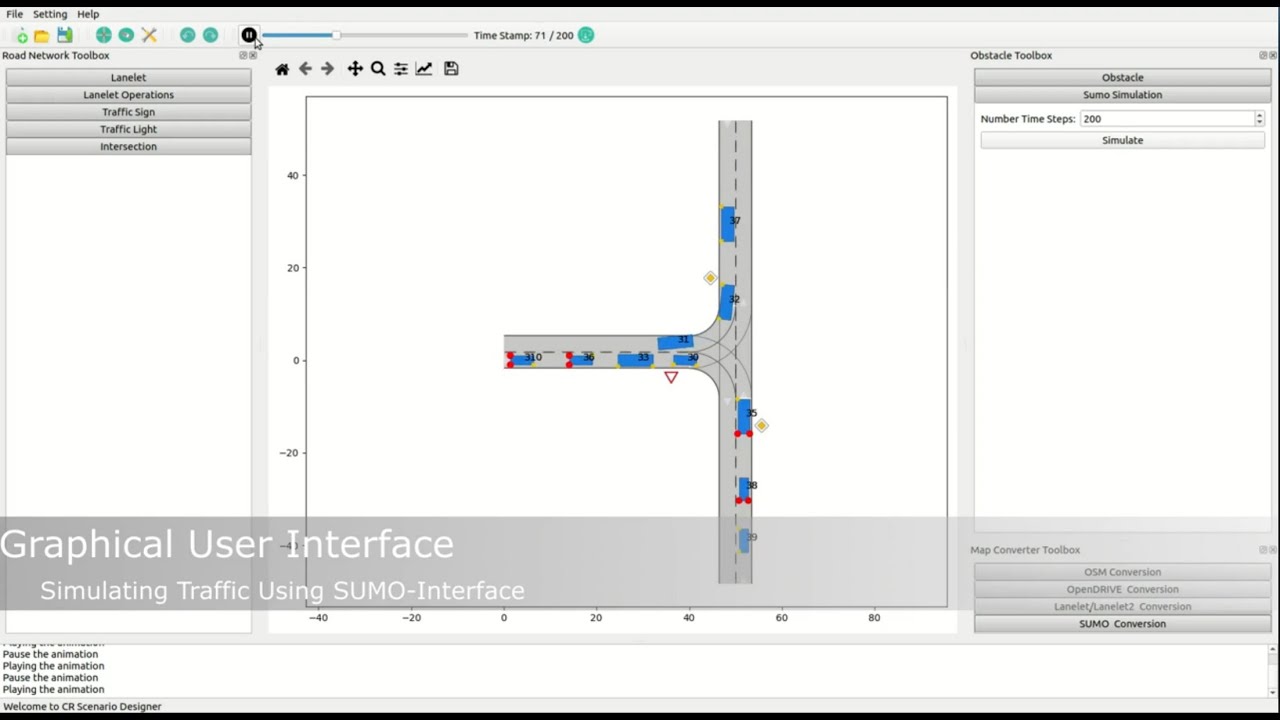
I am trying out the Scenario designer for the purpose of creating Lanelet2 maps. I am trying out the examples from the Tutorial video:
I found that the examples of Merge is not generalized. Some observations
- I have to select successor and then predecessor to do the merge (just like as shown in video)
- It only merges [1] to [2]. The names of the buttons remain same and if I try to merge other lanes it does not work properly
- The Undo operation also has strange behavior. It looks like the Undo completes successfully, but on clicking the canvas something else is shown.
Following button names don’t change.
Fit [1] to [2]
Connect [1] to [2]
Merge [1] with successor
Thanks
Thank you for your feedback!
The button names shouldn’t change.
[1] and [2] are references to the corresponding drop down elements at the top of the Lanelet Operations section.
We will try to improve the usability in the future.
Regarding the Undo operation:
Can you provide the steps you performed so that I can reproduce the problem locally?
I am not sure the exact sequence. I have to test a bit more. It seems like it happens only if undo operations are applied after lanelets are merged. When not merged it seems like Undo and Redo operations are working well.
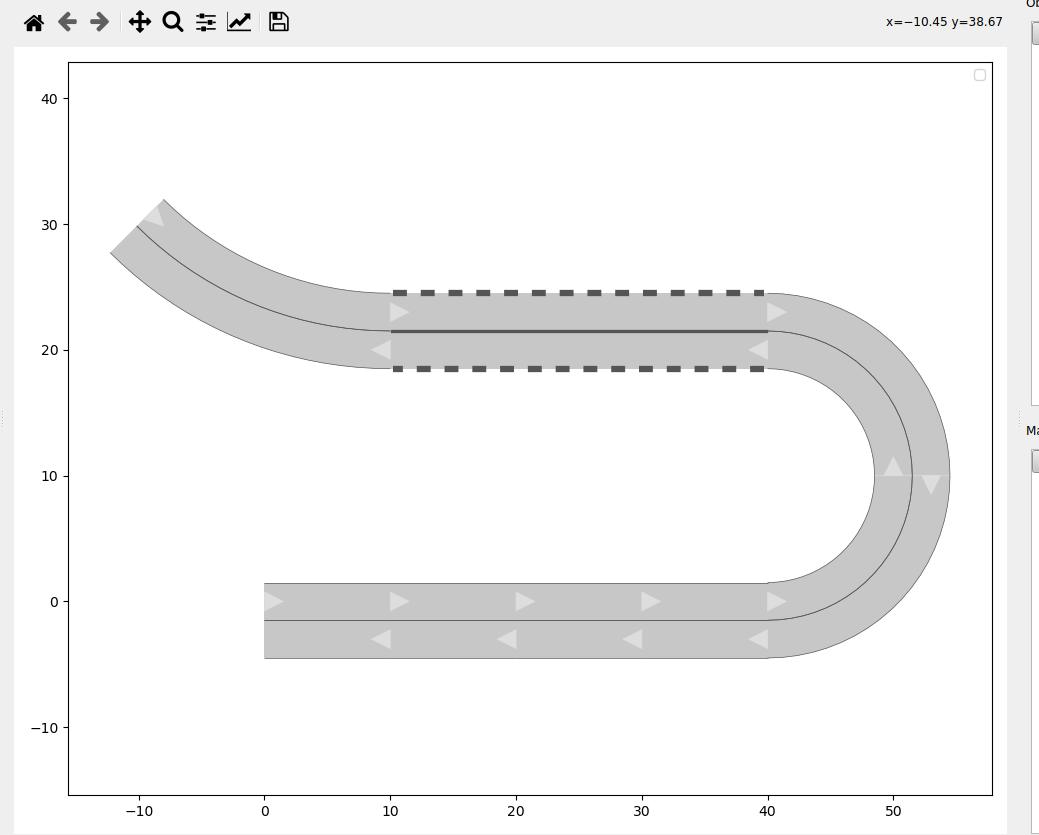
Here I try a double lanes and lanelet merging for the first example in the video
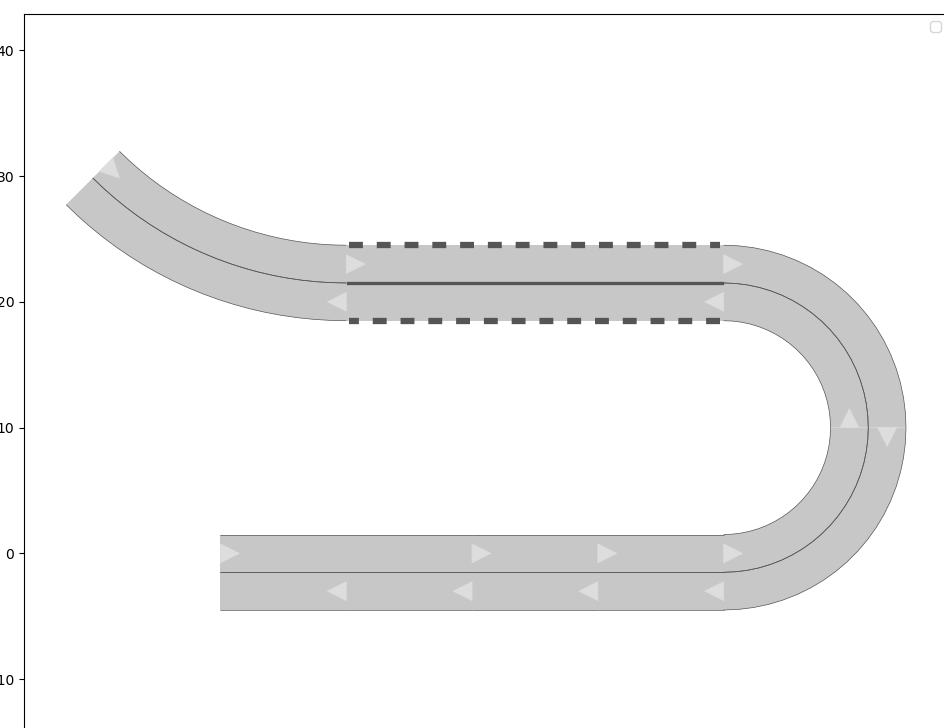
I have done undo on a (wrong) connect operation
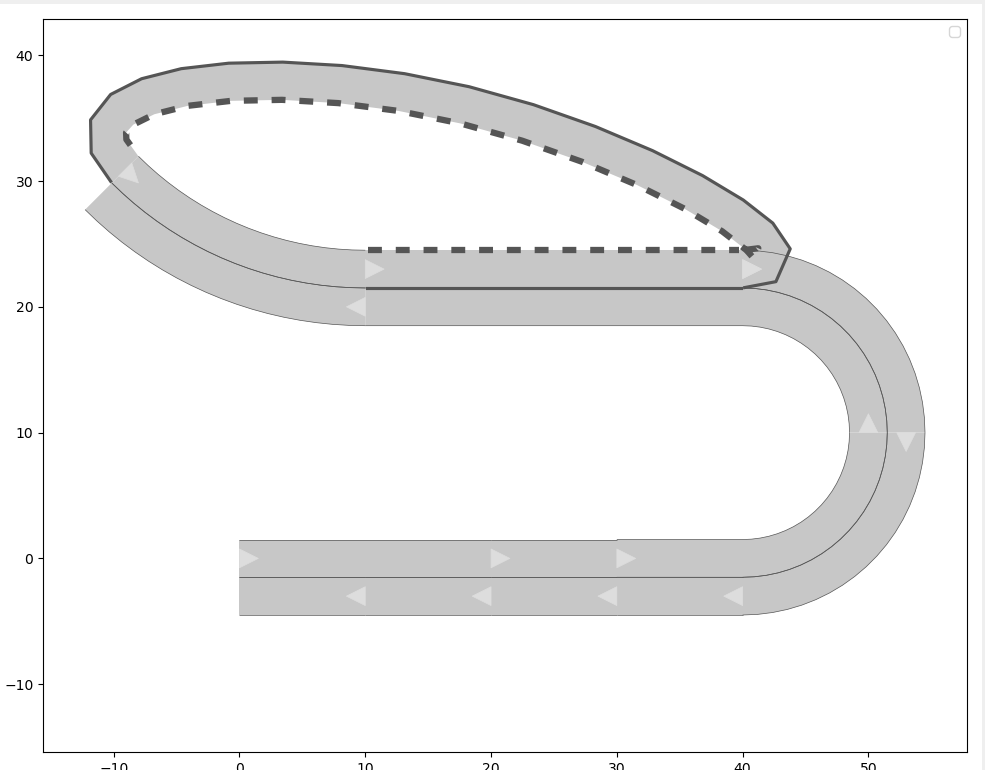
But when I click on the canvas the undo is not saved it seems:
I also had a couple of instances of core dumping.
crdesigner gui
WARNING:root:Cannot import SUMO, simulation will not be offered in Scenario Designer
QWidget::insertAction: Attempt to insert null action
/home/sxv1kor/anaconda3/lib/python3.9/site-packages/commonroad/scenario/lanelet.py:1434: UserWarning: Lanelet already exists in network! No changes are made.
warnings.warn(‘Lanelet already exists in network! No changes are made.’)
Traceback (most recent call last):
File “/home/sxv1kor/anaconda3/lib/python3.9/site-packages/commonroad_scenario_designer-0.5-py3.9.egg/crdesigner/ui/gui/mwindow/toolboxes/road_network_toolbox/road_network_toolbox.py”, line 54, in
self.road_network_toolbox_ui.button_add_lanelet.clicked.connect(lambda: self.add_lanelet())
File “/home/sxv1kor/anaconda3/lib/python3.9/site-packages/commonroad_scenario_designer-0.5-py3.9.egg/crdesigner/ui/gui/mwindow/toolboxes/road_network_toolbox/road_network_toolbox.py”, line 418, in add_lanelet
MapCreator.fit_to_predecessor(
File “/home/sxv1kor/anaconda3/lib/python3.9/site-packages/commonroad_scenario_designer-0.5-py3.9.egg/crdesigner/ui/gui/mwindow/service_layer/map_creator.py”, line 255, in fit_to_predecessor
/ np.linalg.norm((predecessor.left_vertices[-1, :] - predecessor.right_vertices[-1, :])))
AttributeError: ‘NoneType’ object has no attribute ‘left_vertices’
Aborted (core dumped)
In this case, I created the same lanelets as first example in video. Now I created the 30m straight lanelet but without the lane marker attribute of Solid and Solid_Dashed. So then I undo the operation and try to add it once again with proper attributes then it crashes
Thank you for providing the error descriptions.
We will try to fix the bug until the next release (expected mid of May).
Thanks.
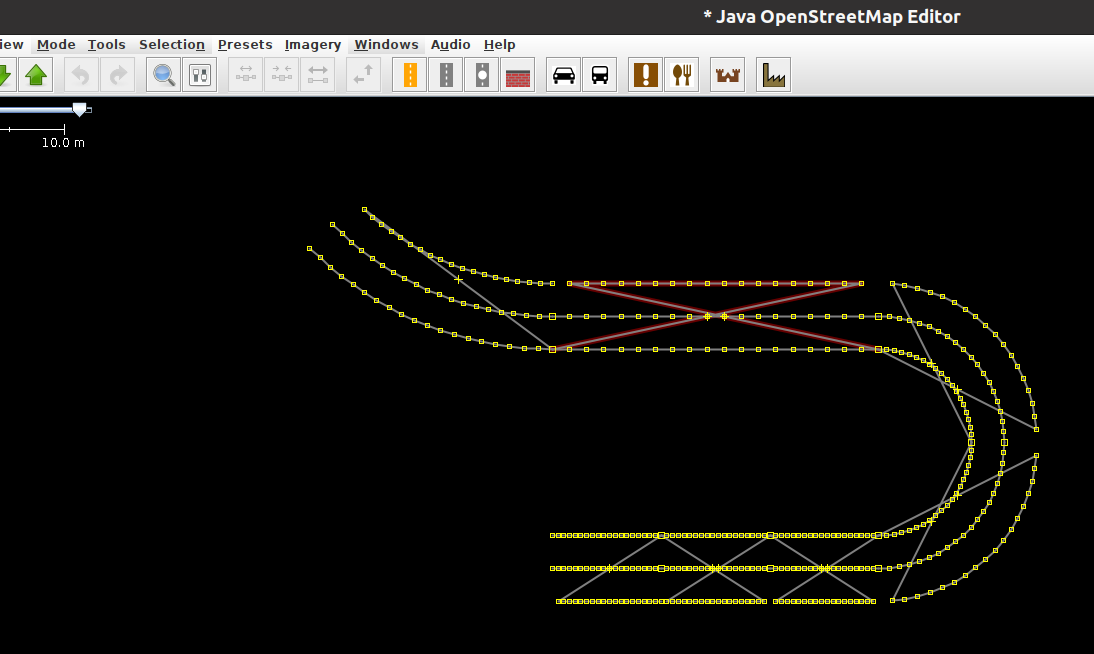
Also I found that when I load the generated OSM file into JOSM it looks like this:
There are some criss crossing of line point connections…
Thank you for reporting error!
Can you send me the CommonRoad file on which the OSM map is based on?
I didnt save the xml file for the example shown above. But for another simpler map. But I am not able to upload it.
Error Message:
“Sorry, the file you are trying to upload is not authorized (authorized extensions: jpg, jpeg, png, gif, heic, heif, webp)”
Please send it to my email address: sebastian.maierhofer@tum.de
@rreddy78
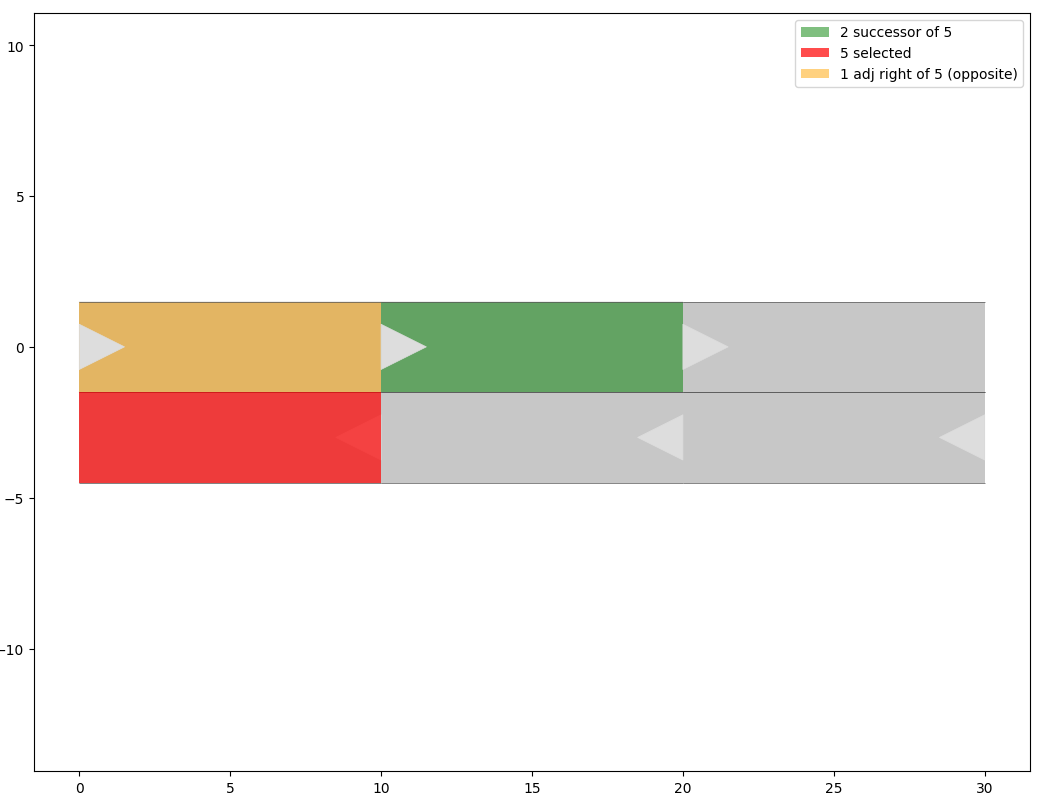
The error is causes by an invalid CommonRoad map.
In the example you have sent me, lanelet 5 has lanelet 2 as successor:
@rreddy78 The other reported bugs should be fixed now (version 0.5.1)
1 Like