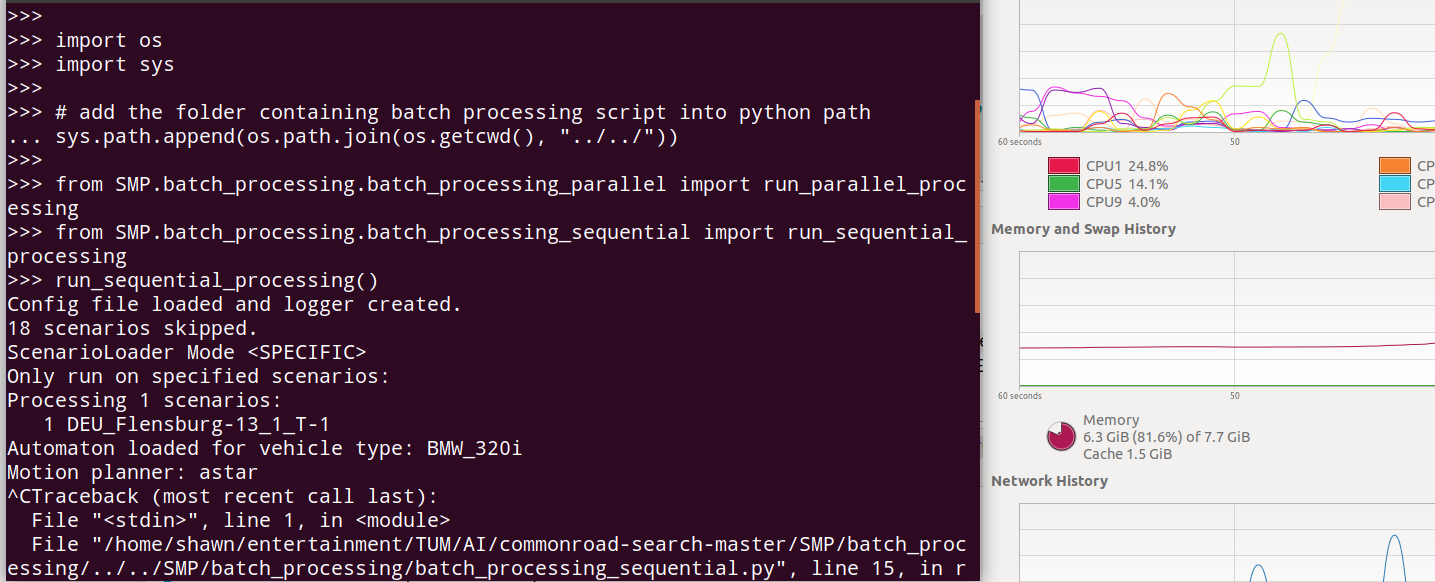
When I run
run_sequential_processing()`
with setting inputmode: DEFAULT.
There are some scenarios in which the algorithm can not find any solution, then the script skips it and goes on.
However, my question is, how can I know in which scenario it went wrong? Could it be possible that I get the name of the wrong scenarios?
Hi,
after all scenarios are processed, a brief report is printed (also logged if in the setting you set logging to true), which tells you which scenarios have been successfully solved, and which failed. You can try solving a few random scenarios for a test to see the output.
However, when solving some scenarios the notebook runs out of memory and then my computer would stop running, so I have to restart the computer. That is why I manually stop the program when it costs too much time/memory to solve it and that why I want to check the name of the scenario.
In the following topic, there seems to be a solution for docker, but I run the program on my own Ubuntu environment. It does not work for me. Search memory management
Could you please let me know your system specifications? (e.g. how much memory do you have?)
For now, I would suggest dividing the scenarios into smaller portions, e.g. maybe 100 scenarios at a time.
I will look into the code and see which part took most of the memory and try to improve it.
7.7GB physical memory and 6GB virtual memory, but the virtual memory has never been used, which is another problem I met.
I just run the sequential process code and every time there is a scenario that takes too much memory, the memory would be full within 10 seconds. So 100 scenarios or 1 is the same, the program will be stuck in a specific scenario.
Interesting. I have tried the code on my machine as well as in the virtual machine, which could run through all scenarios. Could you maybe then set the tree depth to something like 30 and see if that’s still the case? (I suspect due to large # of layers some data are stacked within)
I tried to run this in Terminal but still went wrong, the memory would be taken to 100% very soon, so I stoped it manually. And it is weird that even the max tree depth is 1, it can not stop.
The following is my default setting.
default: &default # create an anchor point for default parameters
Thanks for the input. Will look into it. BTW, have you also tried with the default parallel batch processing instead of the sequential one? If the parallel works but sequential doesn’t, the issue might relate to just the sequential search.